
Screenshots
About GPS Map Camera: Geotag Photos & Add GPS Location
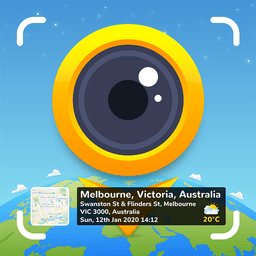
Geotag photos and add GPS location data with GPS Map Camera: Geotag Photos & Add GPS Location, the all-in-one camera app that stamps your travel memories with precise location intelligence. Capture moments that matter and automatically embed GPS coordinates, timestamps, weather conditions, and map imagery directly onto your photos—then share your geotagged photos with friends and family to show exactly where your best earth travel memories were made.
Taking geotagged photos has never been simpler. Open the app, choose between advanced or classic templates, and customize your stamp settings to match your needs. The camera applies geo location stamps automatically to every shot, whether you're using the front, rear, selfie, or dash camera mode. You control every detail: grid overlays, flash, focus, mirror, timer, scene filters, and sound capture are all at your fingertips.
The classic template automatically fetches essential location data and pairs it with your image. Switch to advanced mode for granular control over how your location appears on photos. Select from map types—Normal, Satellite, Terrain, or Hybrid—and choose what metadata matters most. Add short addresses for quick reference, precise latitude and longitude in DMS or decimal format, plus codes, date and time in multiple formats, and even your brand logo. Include weather readings in Fahrenheit or Celsius, compass direction, magnetic field strength, wind speed, humidity, atmospheric pressure, altitude, and GPS accuracy—all measured in real time and stamped onto your image.
Perfect for travelers and explorers, GPS Map Camera works equally well for real estate professionals, architects, and infrastructure specialists documenting site conditions. Event photographers capturing weddings, birthdays, festivals, and anniversaries can tag celebration locations instantly. Food, fashion, travel, and art bloggers gain a powerful way to geotag content and enrich their storytelling. Business professionals attending meetings, conferences, and corporate events can document location-specific moments with authority.
Advanced features include a QR code scanner for instant data entry, customizable hashtags to boost social sharing, manual or automatic location selection, and a built-in GPS tracker that consolidates all geotagged photos in one place. The app doubles as both a timestamper and date stamper, ensuring no moment goes undocumented with temporal context.
Download GPS Map Camera: Geotag Photos & Add GPS Location today and transform ordinary snapshots into location-rich memories. Rate and review to share your experience.
Pros & Cons
Pros
- Extensive customization of location stamps with multiple metadata options
- Built-in GPS tracker consolidates all geotagged photos in one place
- Multiple camera modes including front, rear, selfie, and dash camera
- Real-time weather and compass data automatically stamped onto photos
Cons
- Continuous GPS tracking and location stamping will drain battery significantly
- Requires persistent location access which raises privacy concerns for sharing
- Manual location entry or QR code scanning adds friction before capturing photos
- Steep learning curve between classic and advanced stamping modes for new users
Related Apps

HWiNFO
Hardware monitoring for Windows—track CPU temp, GPU load, fan speed, voltage in real time.

TransMac
Read Mac drives and DMG files on Windows. Access APFS/HFS+ storage and create disk images.

Advanced SystemCare Free
System optimization tool: clean, repair, and secure your PC. Remove malware, fix errors, and boost performance.

Display Driver Uninstaller (DDU)
Driver uninstaller for GPU and audio — removes residual files for clean Windows updates

Glary Utilities
PC maintenance and optimization suite — clean, repair, and speed up your Windows computer in one action.

Universal ADB Drivers
ADB drivers for Android: Connect any smartphone to Windows PC without manufacturer software.
Latest Articles

Best AI admin task automation apps for desktop in 2026 (we tested 7)
Jul 11, 2026

Best AI coding tutor apps for desktop in 2026 (we tested 7)
Jul 11, 2026

Best apps for the *arr media stack on desktop in 2026 (we tested 7)
Jul 11, 2026

Best classic Doom source port apps for desktop in 2026 (we tested 7)
Jul 11, 2026

Best FFXIV companion apps for desktop in 2026 (we tested 7)
Jul 11, 2026